Skip to content

AIS

  • Home
  • Home
MS Advance Excel Course / MS Excel Formulas

REPT Function in Excel

by

The REPT function in Excel is a text function that allows you to repeat a given text string a specified number of times

Syntax

=REPT(text, number_times)

Arguments

1. text: text string that you want to repeat.

2. number_times: the number of times that you want to repeat the text string.
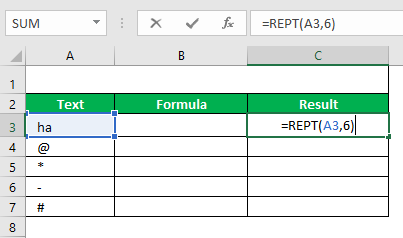
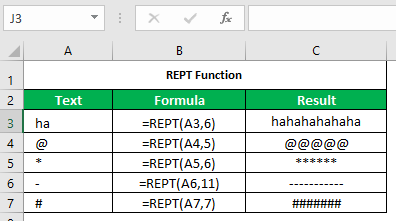
Example
TaggedAdvance ExcelBasic ExcelMS ExcelMS Excel Formulas

Post navigation

Previous Post Previous post:
CTRL + E Flash Fill in Excel
Next Post Next post:
SUBSTITUTE Function in Excel

View all posts by →

You might also like

MATCH function in Excel

IPMT Function in Excel

Insert Tab in MS Excel | MS Excel Course

Copyright © 2026 AIS. Powered by WordPress and Bam.